> ## Documentation Index
> Fetch the complete documentation index at: https://dripart-feat-giscus-unauthenticated-handling.mintlify.site/llms.txt
> Use this file to discover all available pages before exploring further.
# Viewing your payment history
> Access and review your past payments and invoices
You can view your complete payment history and download invoices through your account dashboard.
## Accessing payment history
1. Log in to your ComfyUI account and open the profile menu
2. Click **User Settings**
3. Select the **Credits** tab in the settings panel
4. Click **Invoice History** to open the Stripe billing portal and view your payment history
### Visual walkthrough
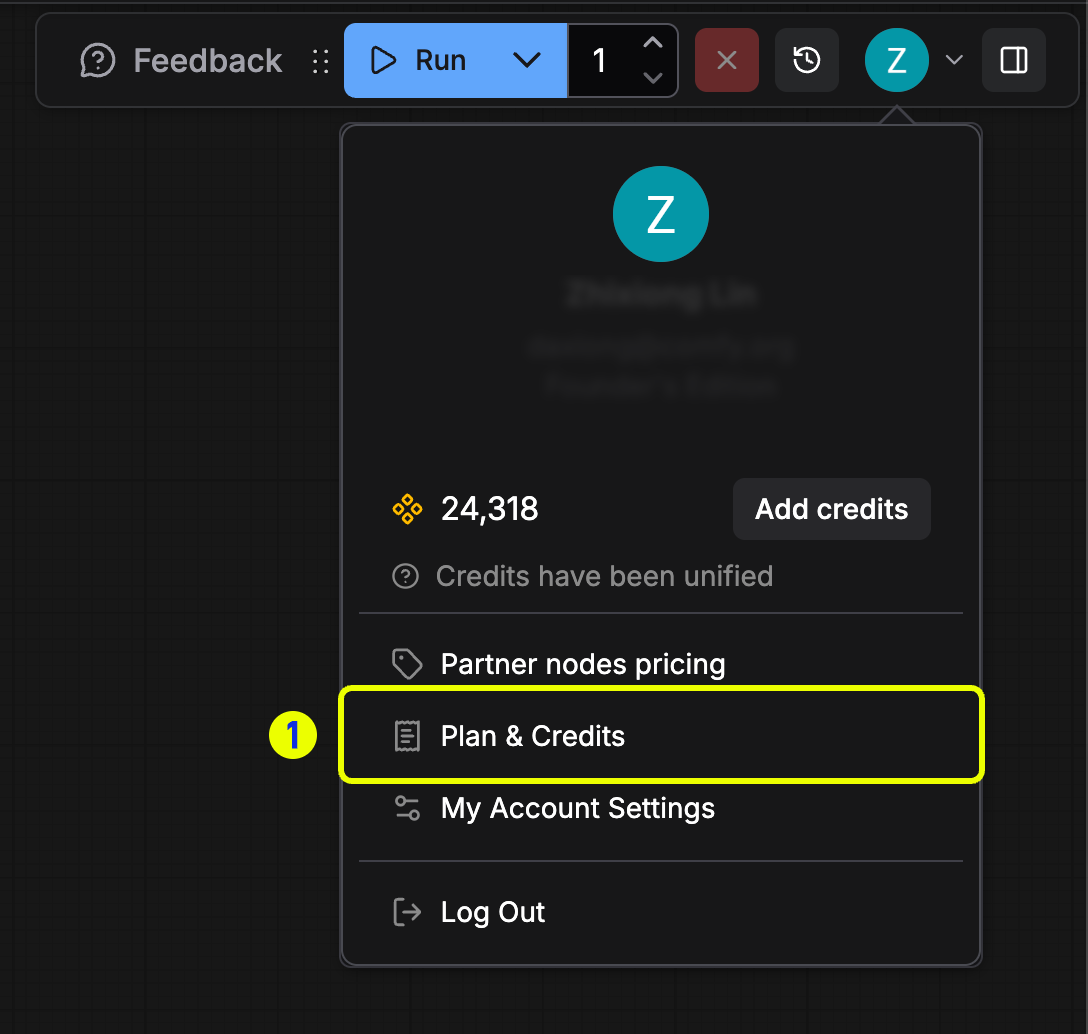 *Open the profile menu and choose **User Settings** to manage billing.*
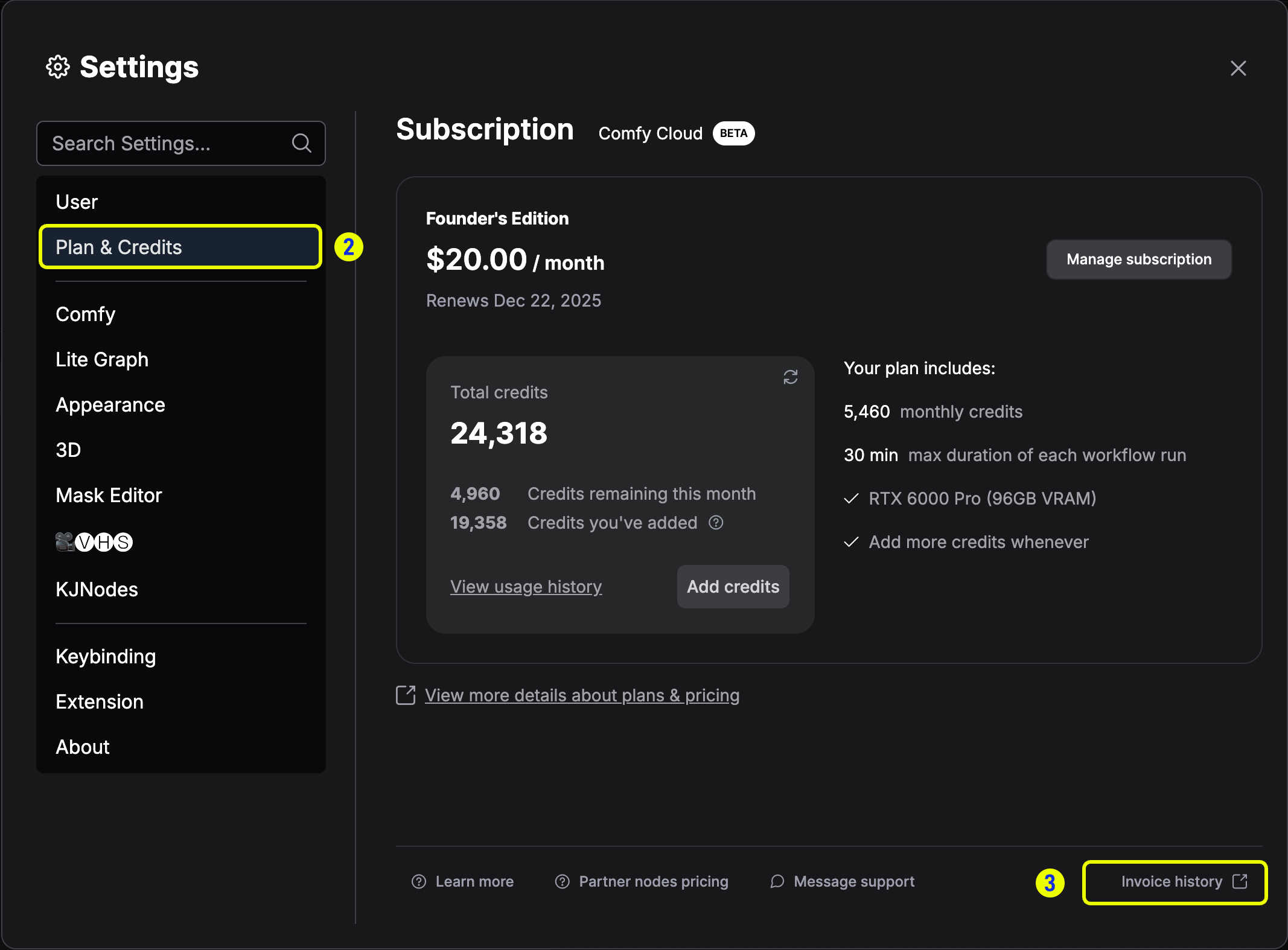 *Go to the **Credits** tab and select **Invoice History**.*
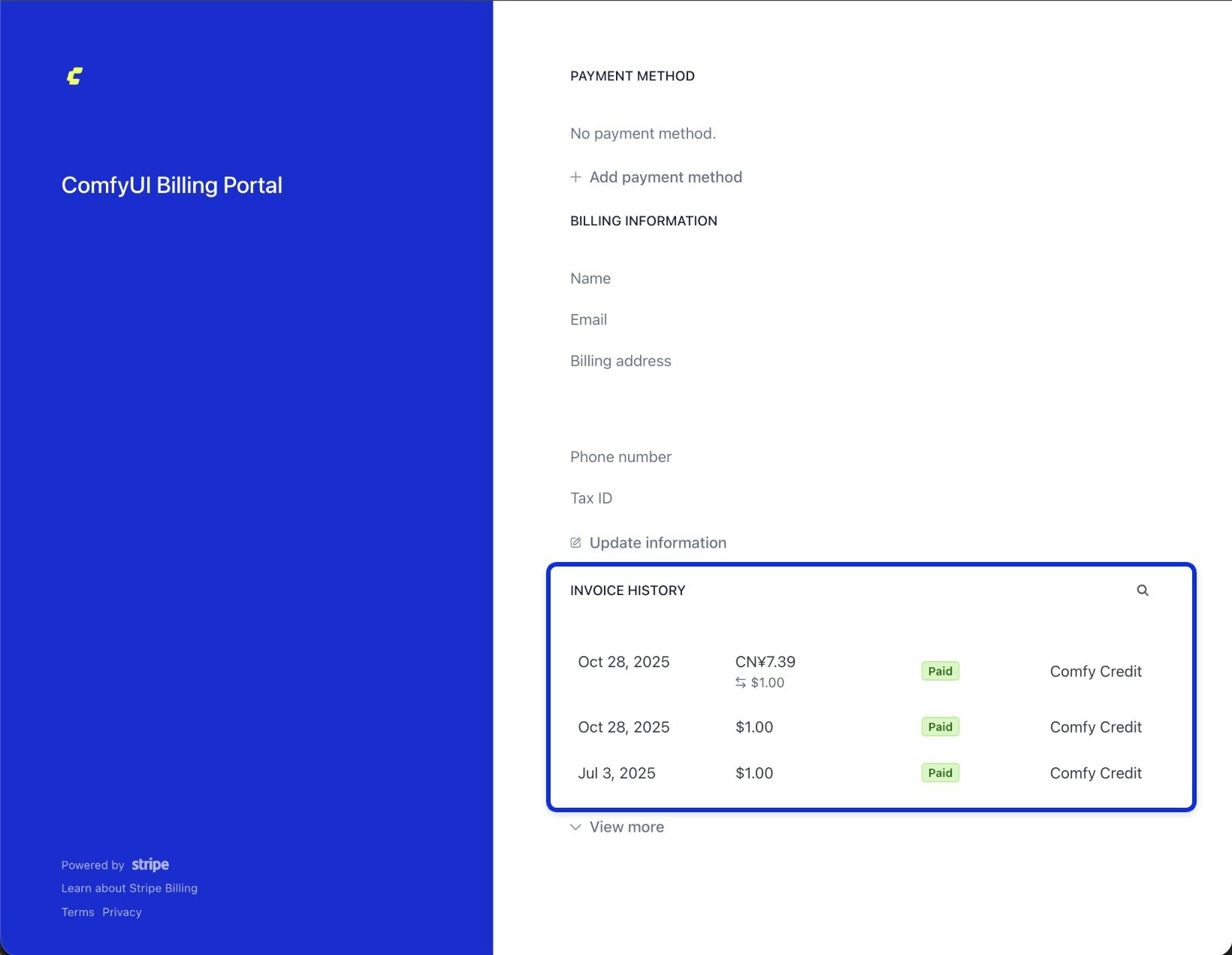 *Review your invoice list in the Stripe billing portal.*
## Downloading invoices
In the Stripe portal, open any entry in the invoice history list to view its details and download the PDF copy.
*Review your invoice list in the Stripe billing portal.*
## Downloading invoices
In the Stripe portal, open any entry in the invoice history list to view its details and download the PDF copy.
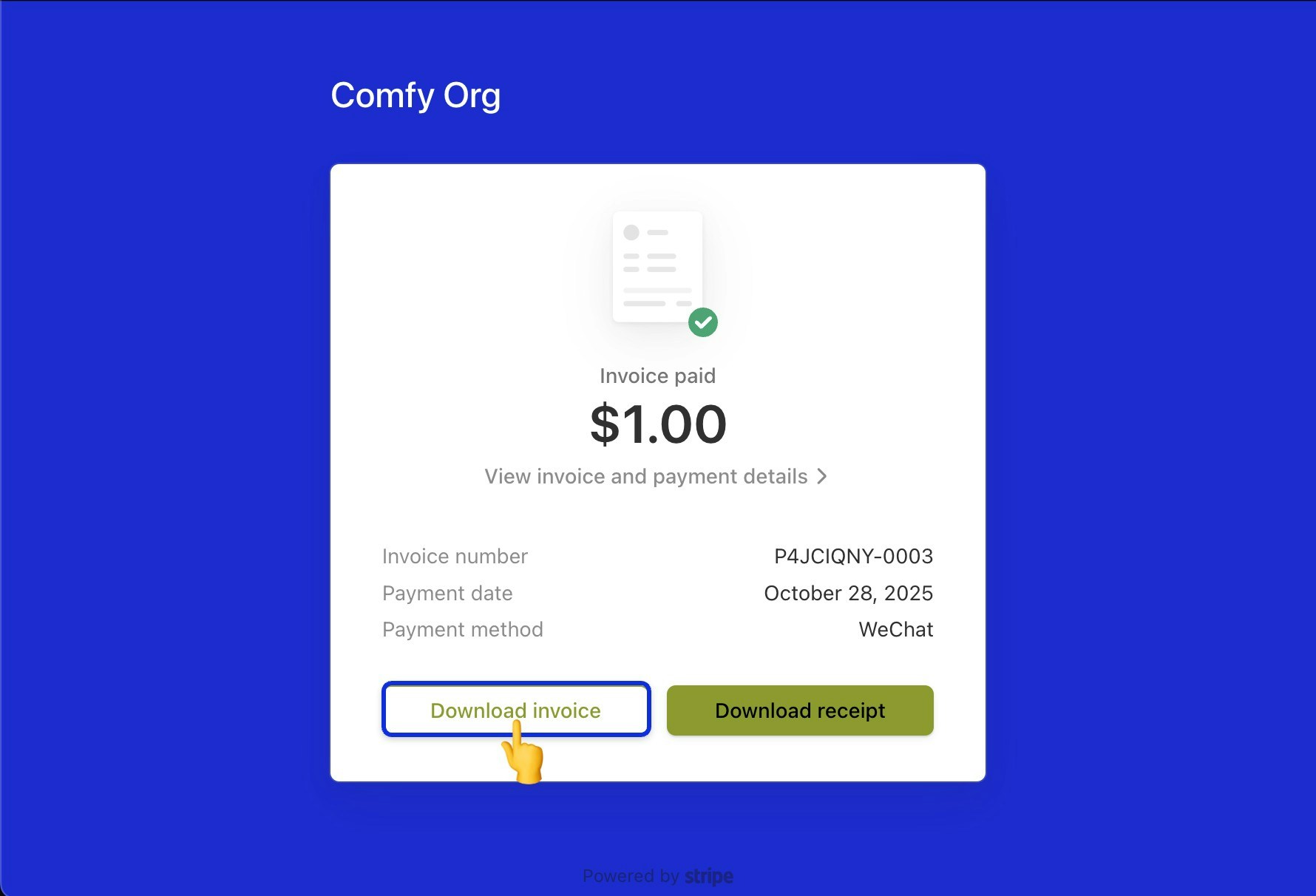 Make sure your billing details are correct before new invoices are generated. Update them from [Editing your payment information](/support/payment/editing-payment-information).