

If you’re not using the new UI, refer to the Switch between new and legacy UI section to learn how to switch.
New UI overview
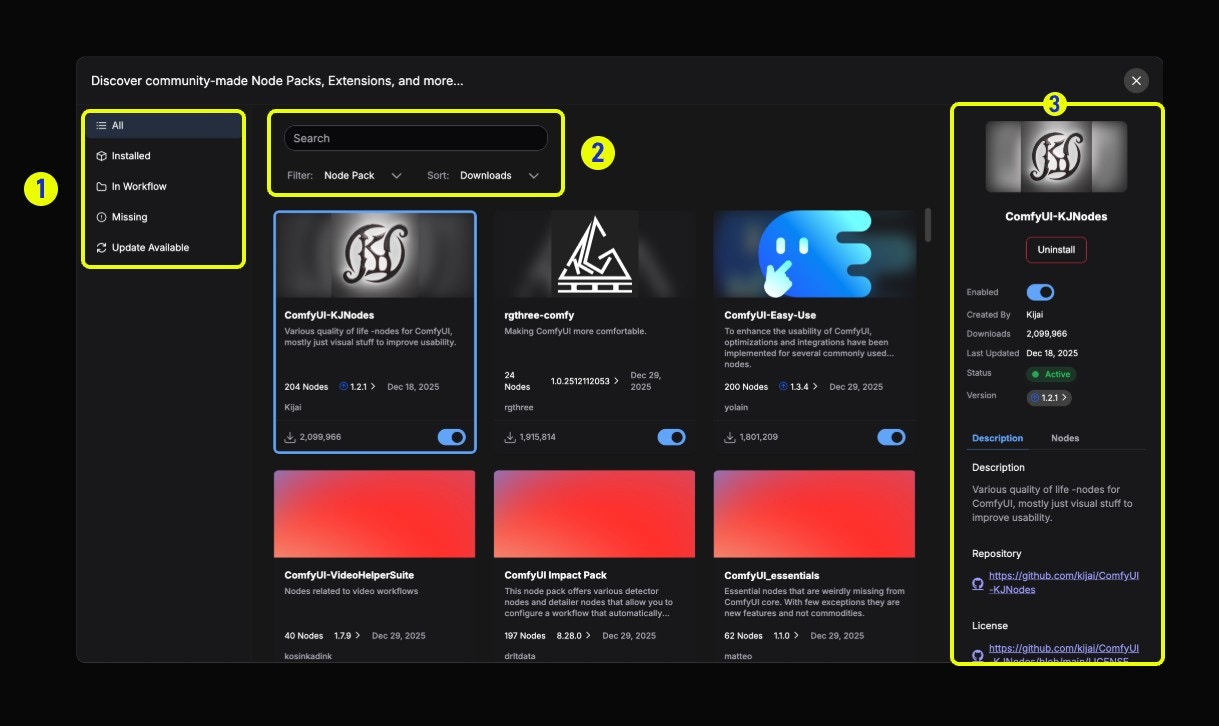
- Left sidebar (Filters): Filter installed nodes, nodes in workflow, missing nodes, updatable nodes, etc.
- Top search bar: Search node packs (Node Pack) or individual nodes (Node), switch search type using the Filter dropdown
- Right detail panel: Click a node to display detailed information including description, enable status, version information, etc. The Description tab contains repository information, and the Nodes tab previews all nodes
Node management
Learn how to use the new ComfyUI Manager to manage custom nodesSearch nodes
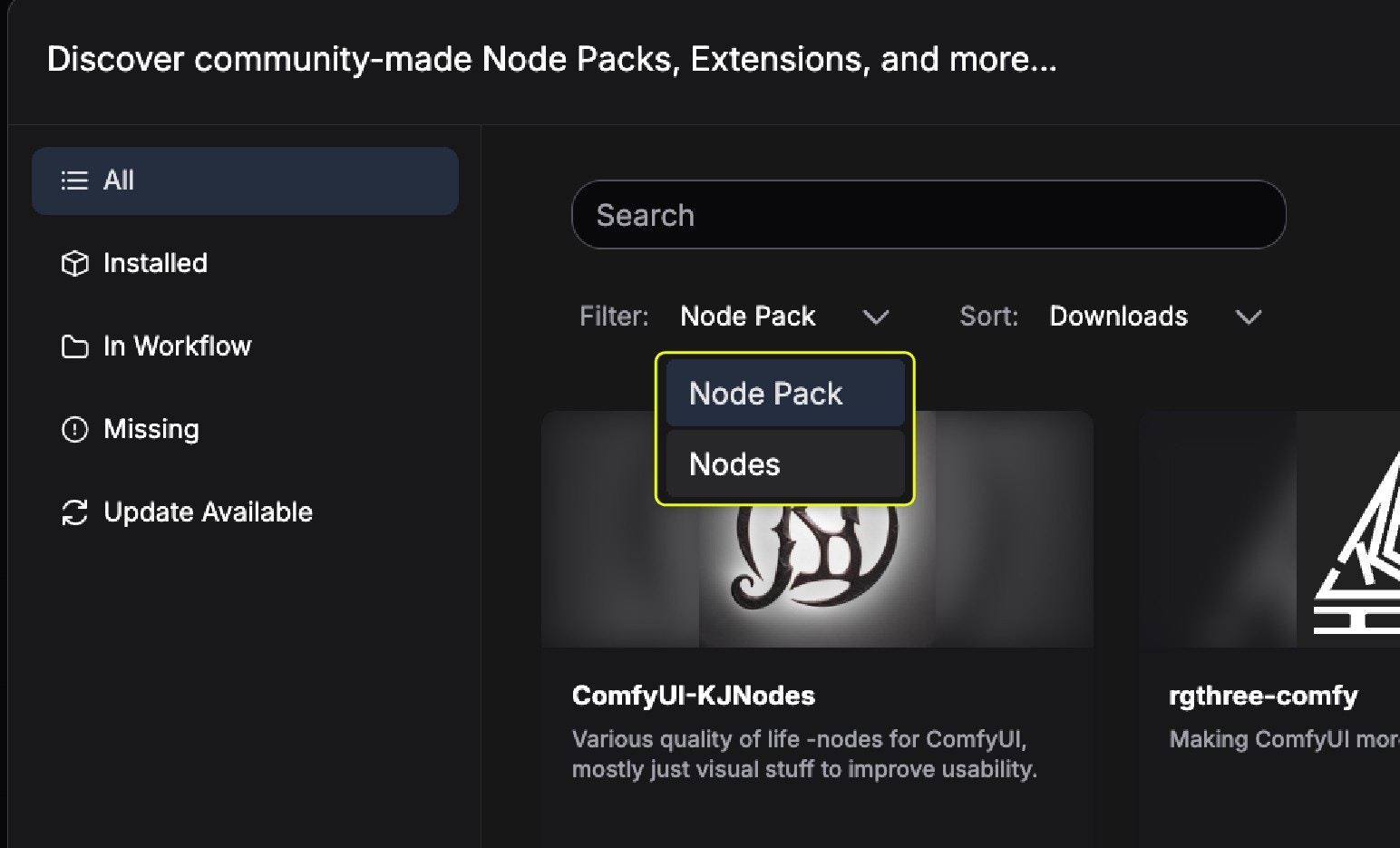
- Node Pack: A complete custom node pack
- Individual Node: Search for individual nodes within node packs
Install nodes
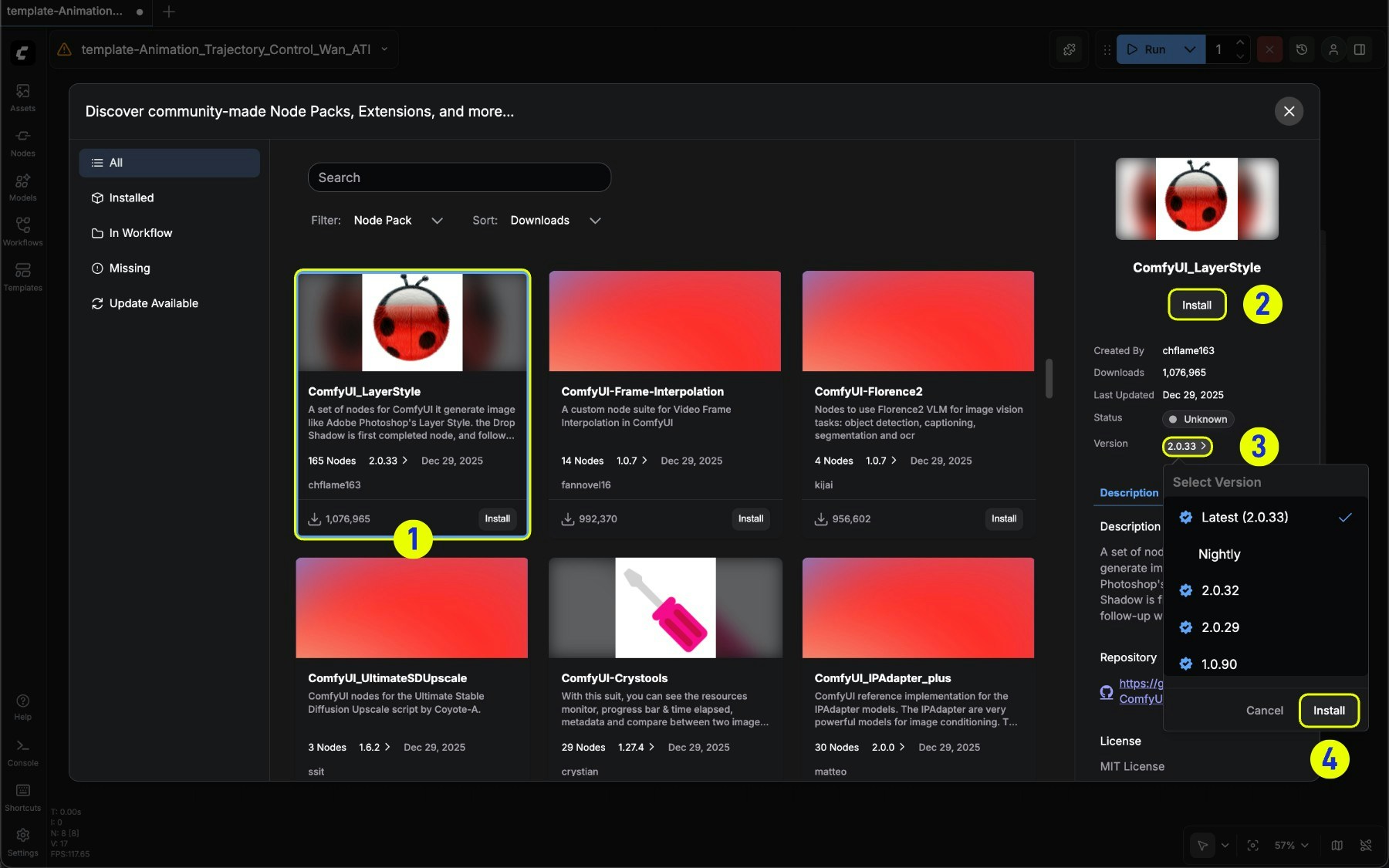
- Select the corresponding node card
- Click Install in the expanded node information
- Or select a specific version in Version to install
Update nodes
Under the Update available filter, you can filter nodes that have updates available in the current node list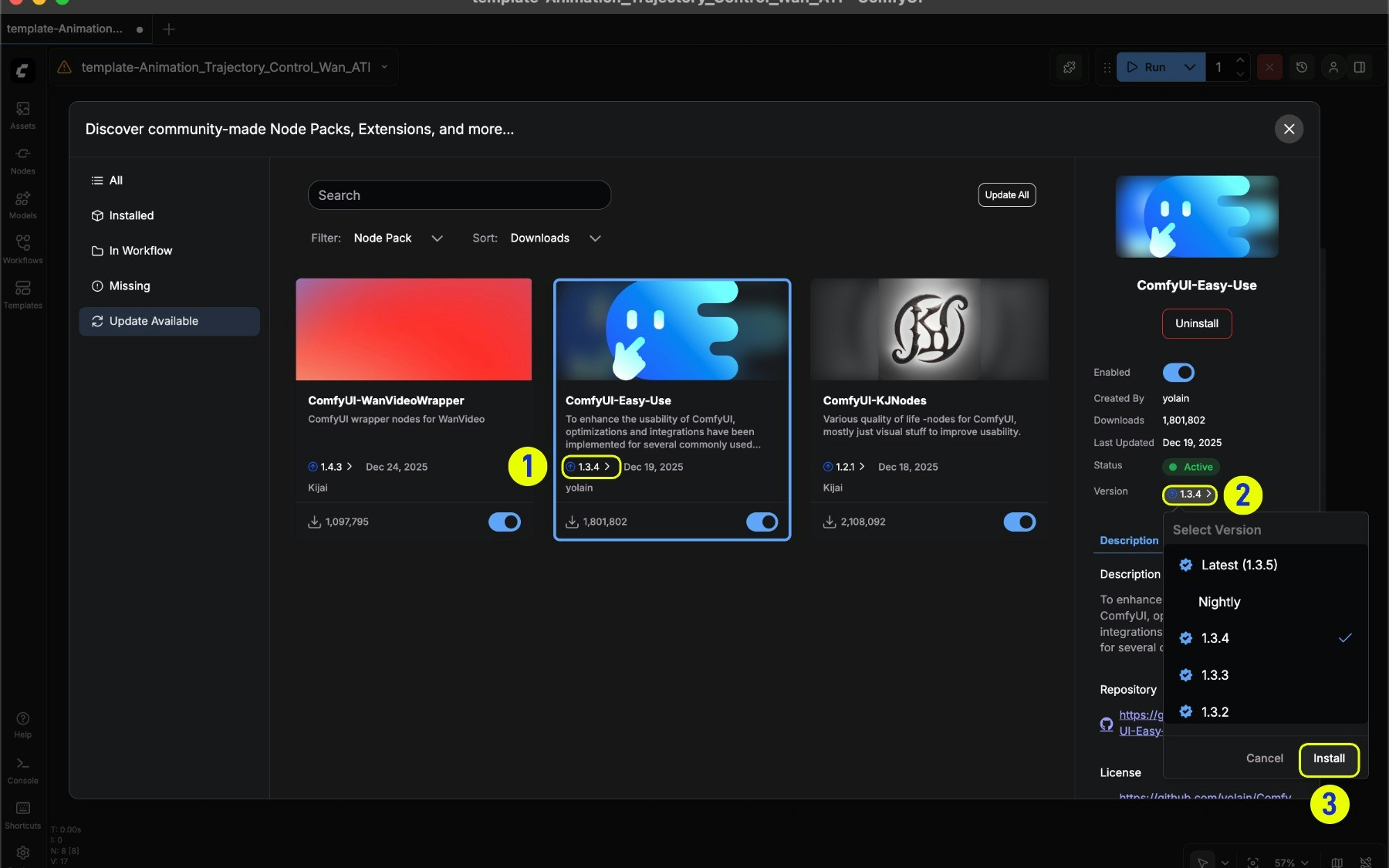
- Updatable nodes will display an update arrow indicator
- Select a specific version in Version
- Click the Update button after selecting a version to update
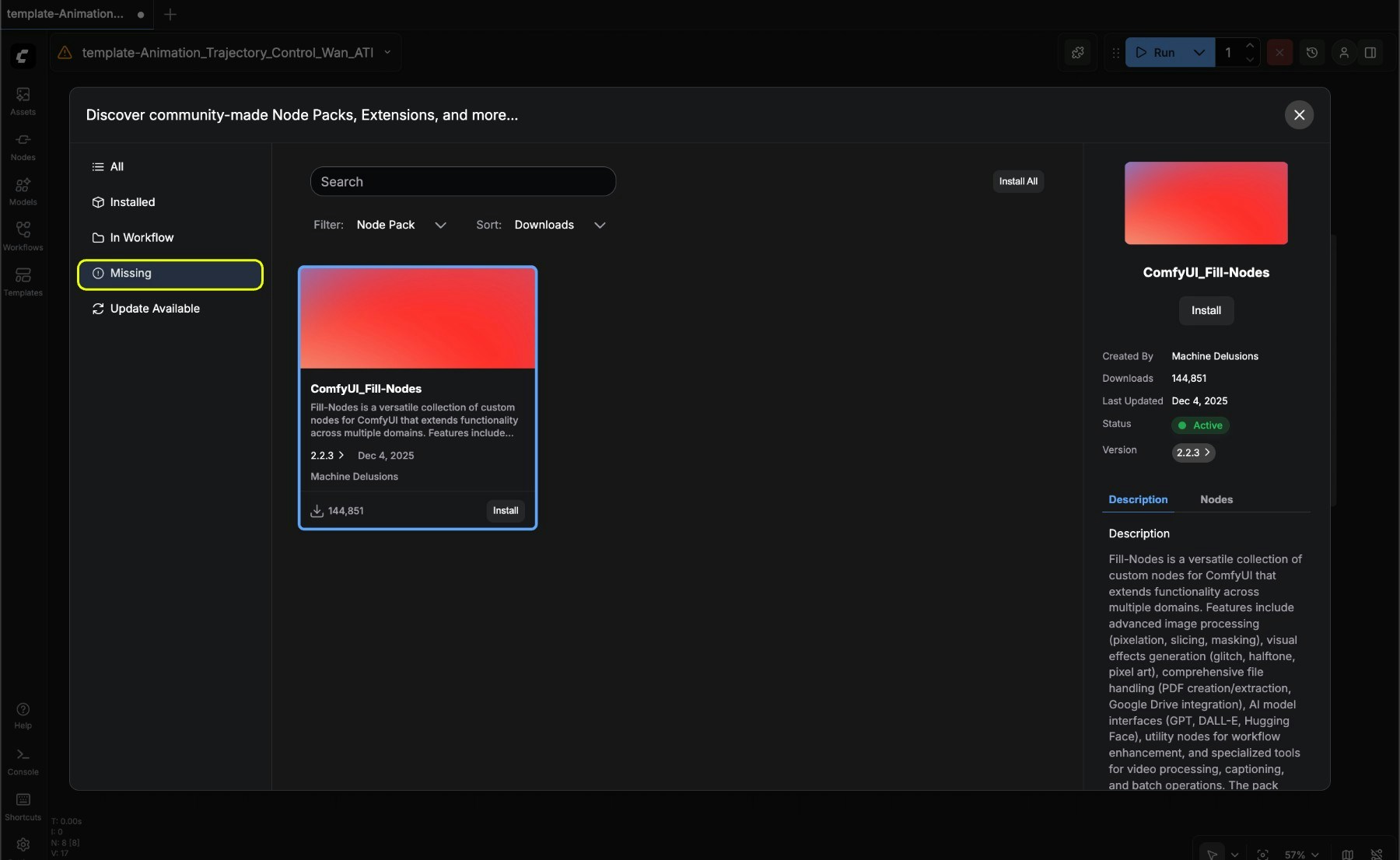
Find missing nodes
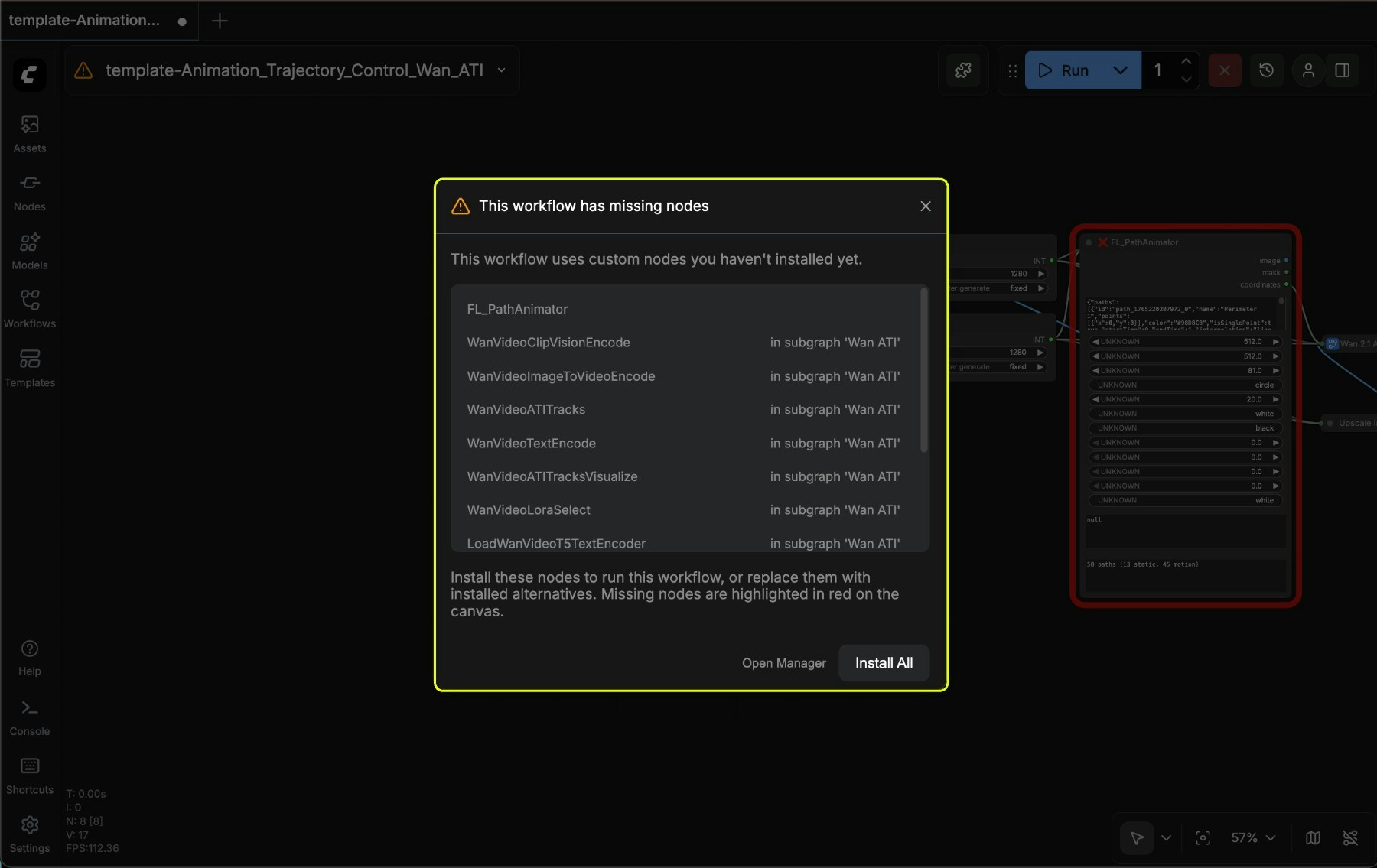
- You can choose Install All to install all nodes at once
- Or choose Open Manager to open the manager and browse details before installing
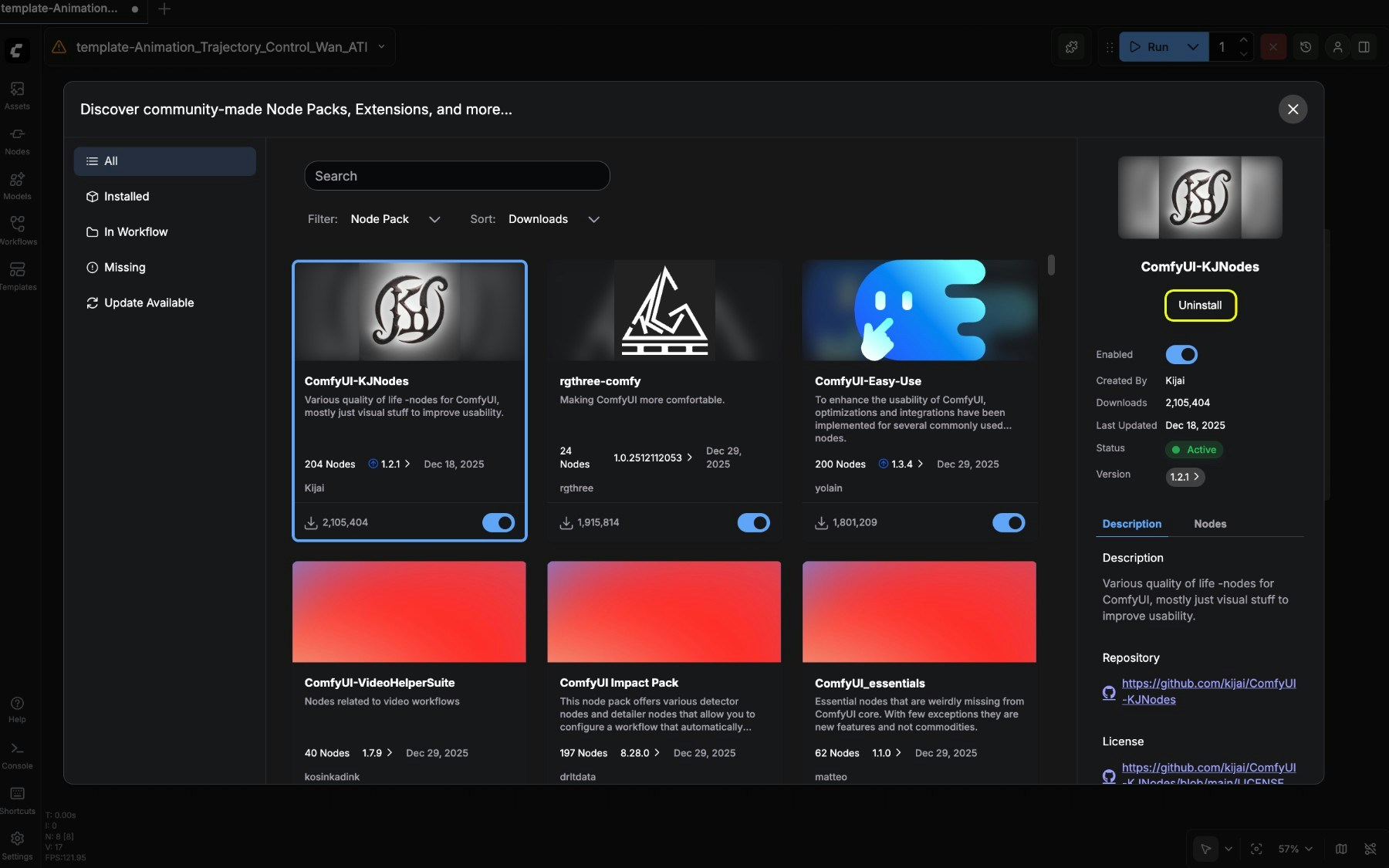
Uninstall nodes
Common questions
- Why can’t I find the node I need? The new Manager only supports installing nodes from the registry. If your node is not registered in the registry, please register it in the Manager first.
- Why can’t I find the option to install via git? For security and stability of the ComfyUI user system, the new UI does not support installing nodes via git. Please refer to Manually install custom nodes to learn how to manually install custom nodes.